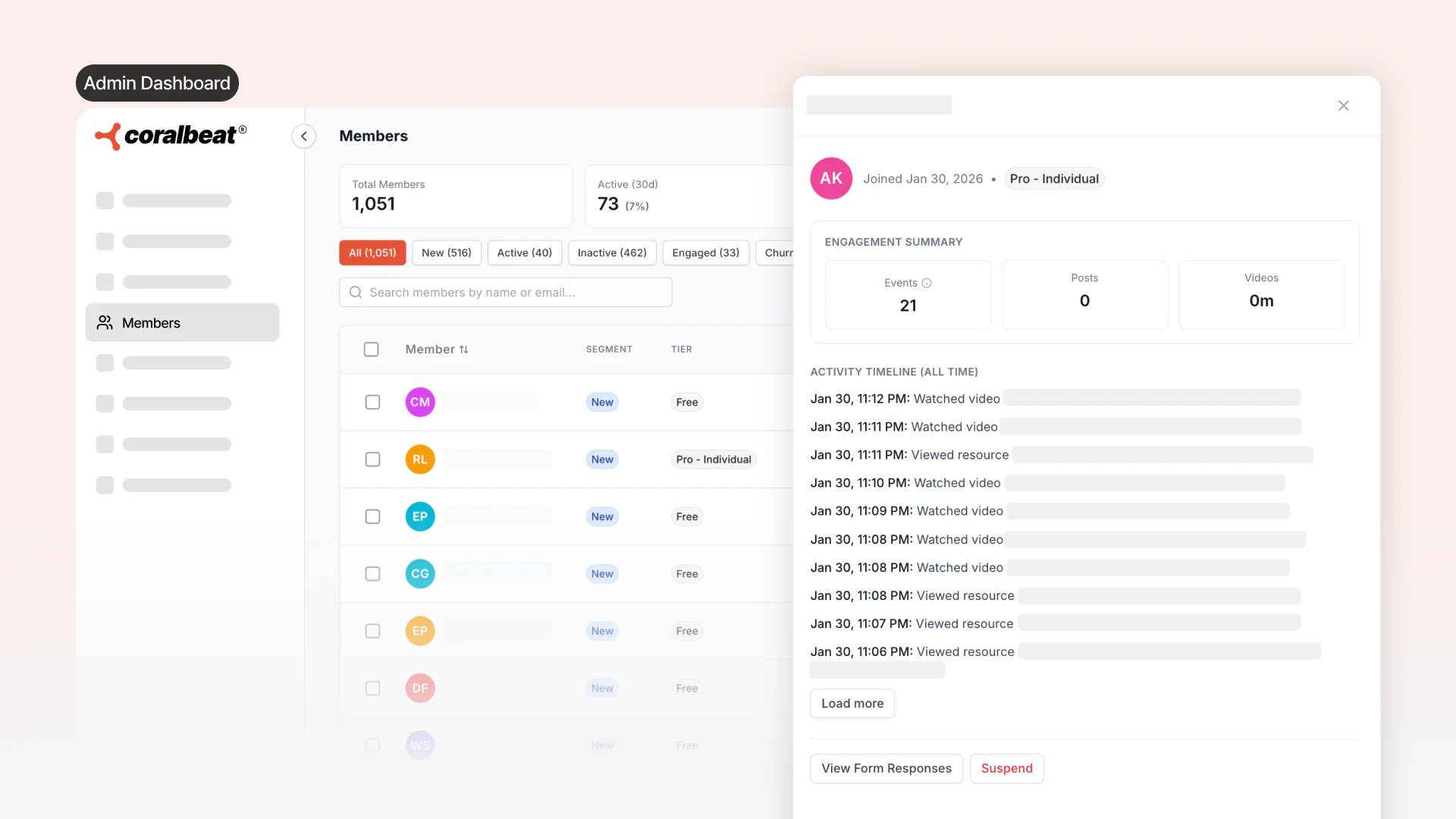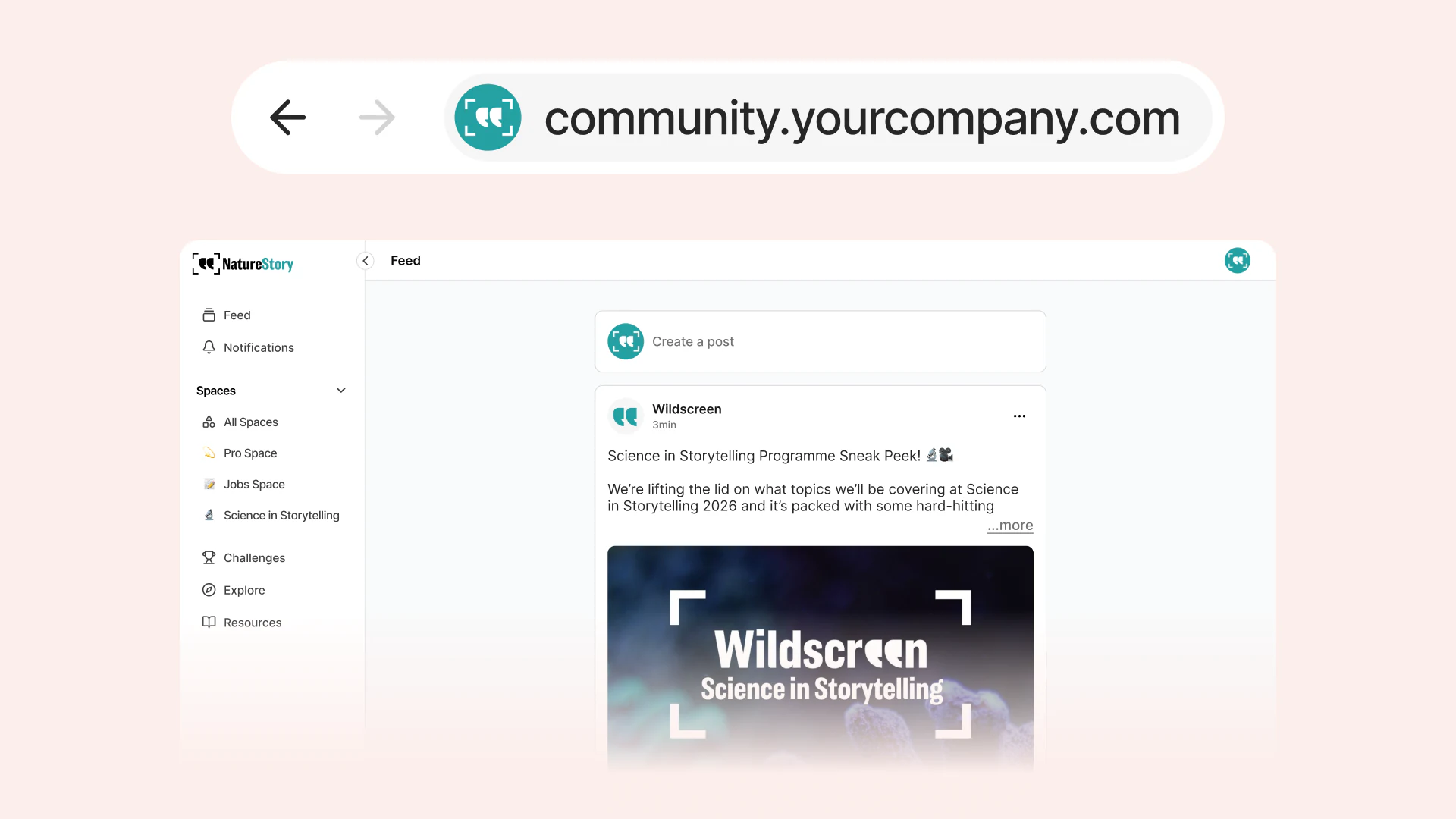
Many recurring businesses need different access levels. A free tier welcomes newcomers. A paid tier gives committed customers more value. Corporate options support teams, sponsors, or partners. But building this kind of flexible structure often means wrestling with rigid platforms, complicated payment systems, or custom code that takes weeks to set up.
Your business model is unique. The access structure that works for a photography collective will not work for a conservation organization, subscription brand, or creator's paid membership. You need the freedom to design exactly the right structure without technical barriers getting in your way.
Connect Stripe First (If Offering Paid Tiers)
If you plan to offer paid memberships, connect your Stripe account before creating tiers. Go to your Admin Dashboard and complete Stripe's onboarding process. Once connected, all payment processing happens automatically. Customers subscribe through your Coralbeat website, billing renews automatically, and funds flow directly to your account. No payment pages to build, no recurring billing logic to manage, no manual invoice tracking.
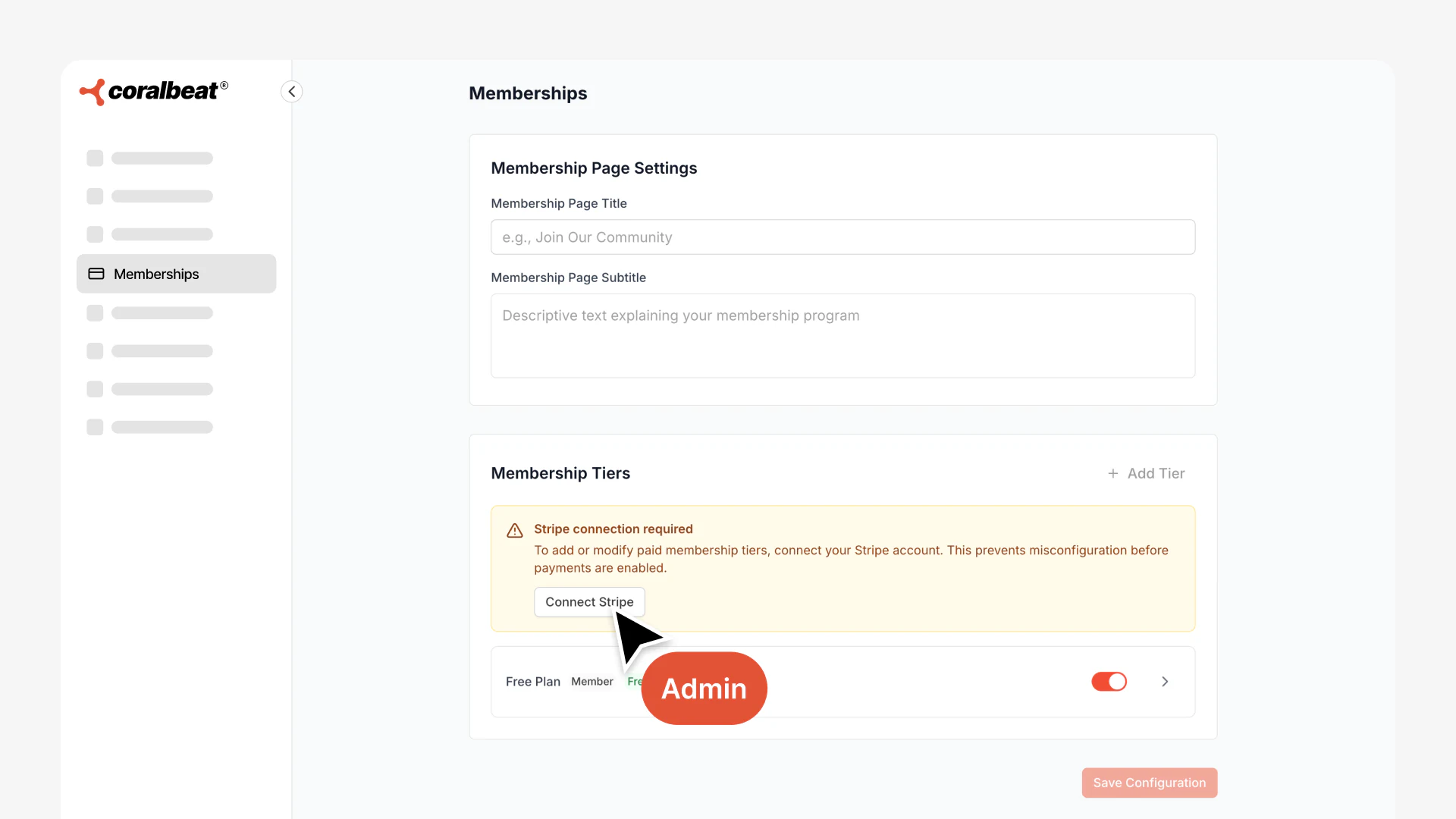
Once connected, you'll see confirmation that your payment processing is ready:
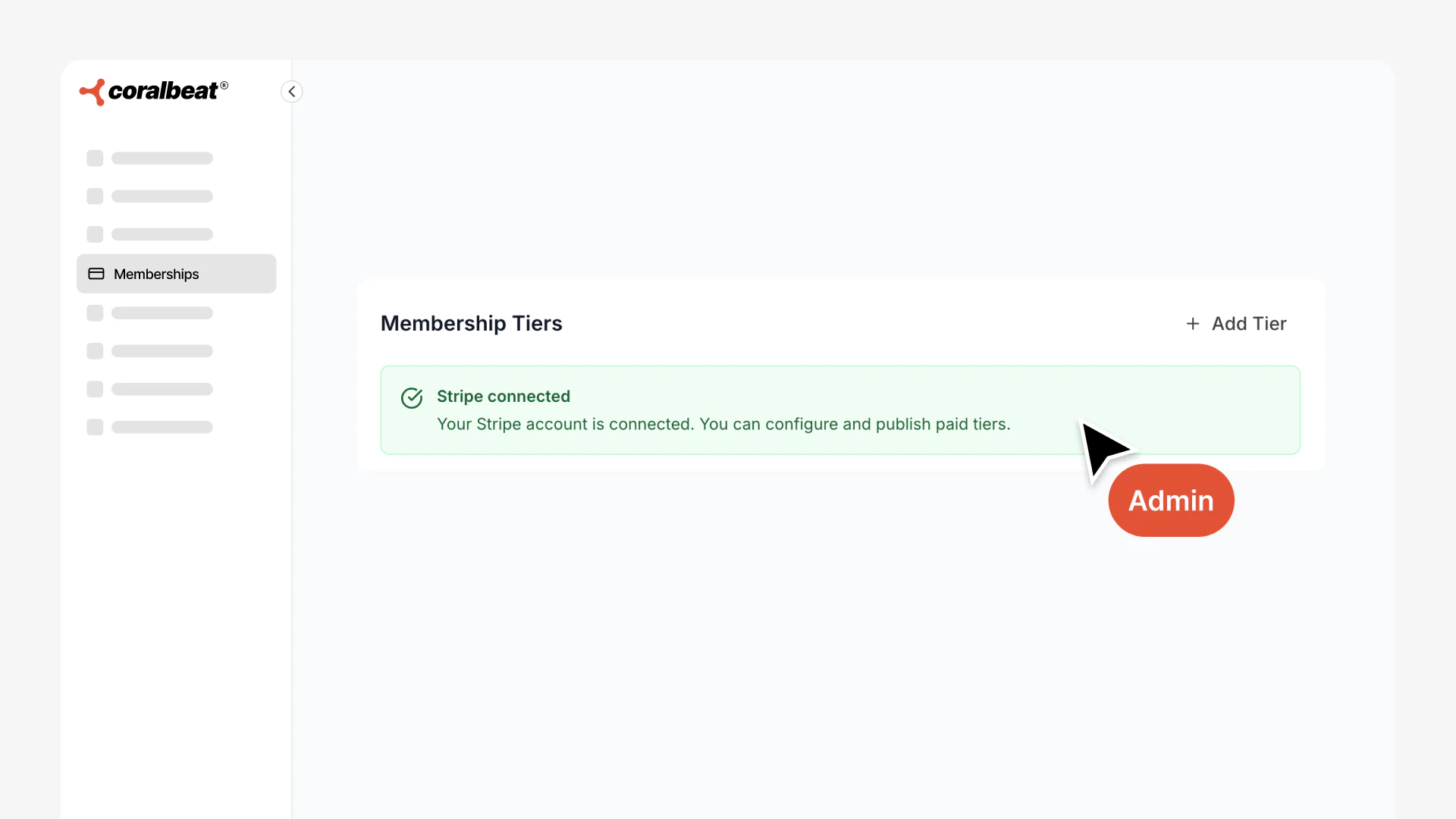
If you only want to offer free memberships, you can skip this step and start creating tiers right away.
Build Your Membership Model Your Way
Coralbeat gives you complete flexibility to create the membership structure your customer experience needs. Set up multiple tiers for individuals, add corporate options for teams and organizations, and control exactly who gets access to what. Whether you are starting with a single free tier or launching with multiple paid levels, you have the tools to build it.
Two Tier Types, Unlimited Possibilities
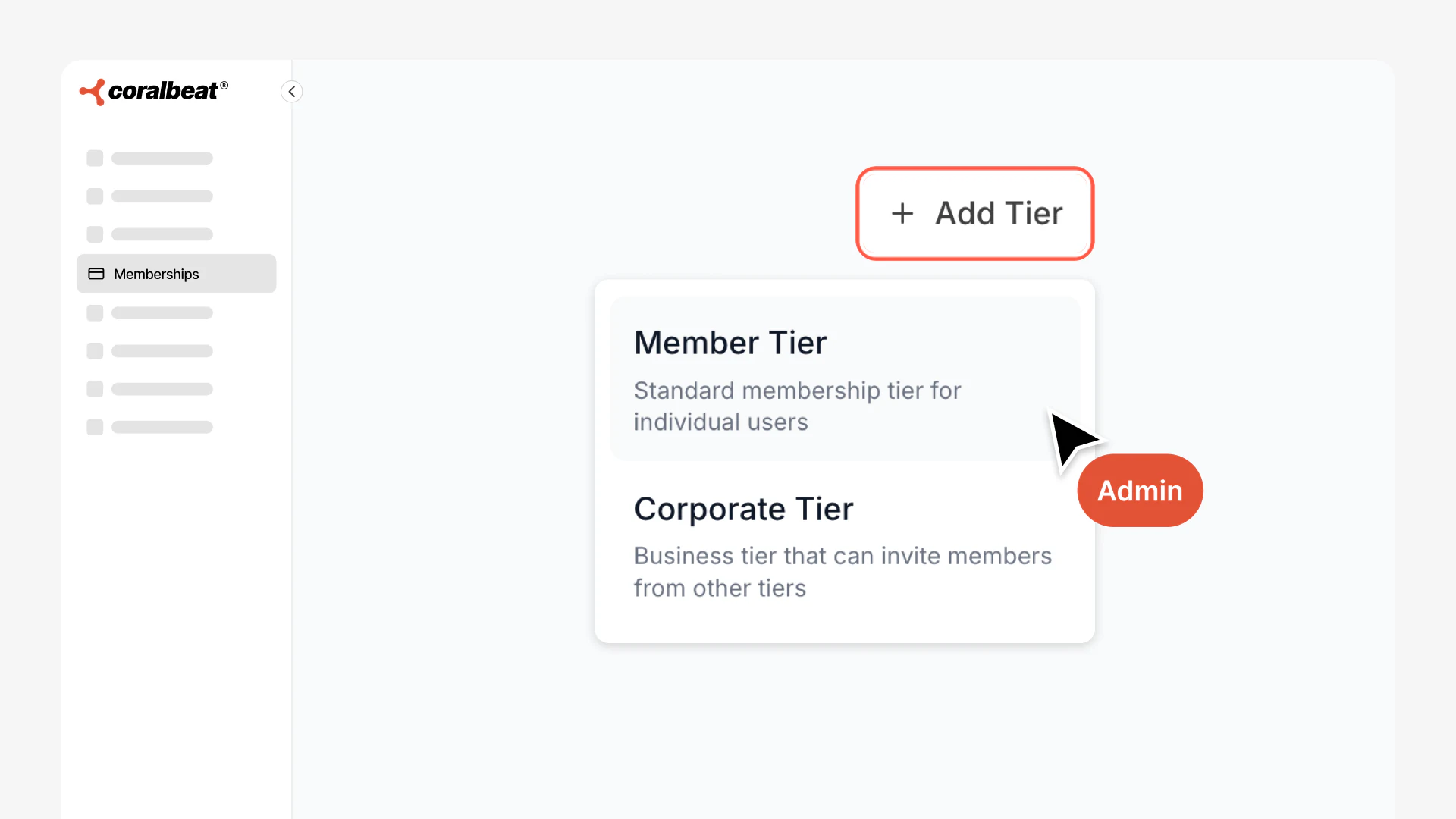
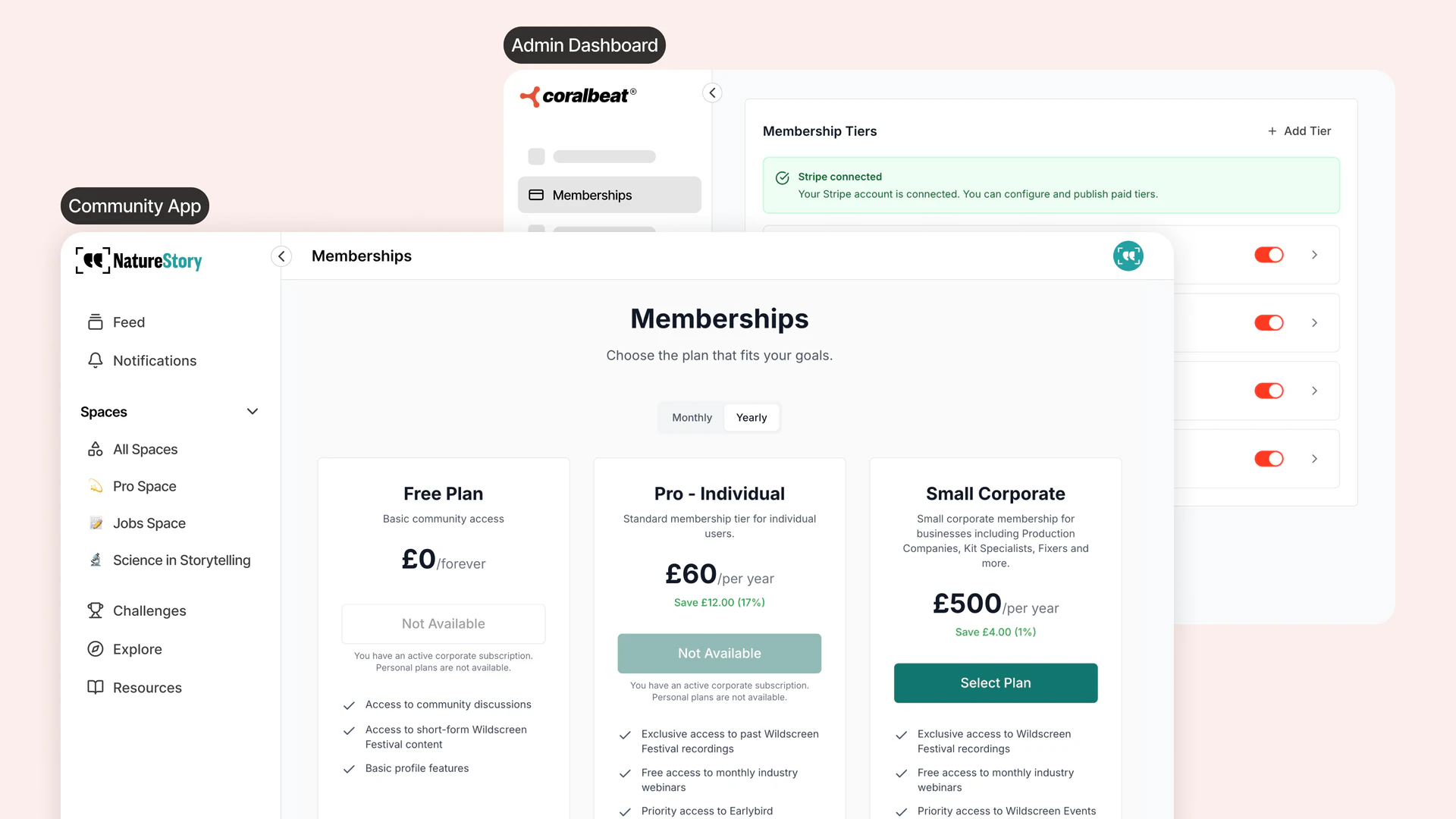
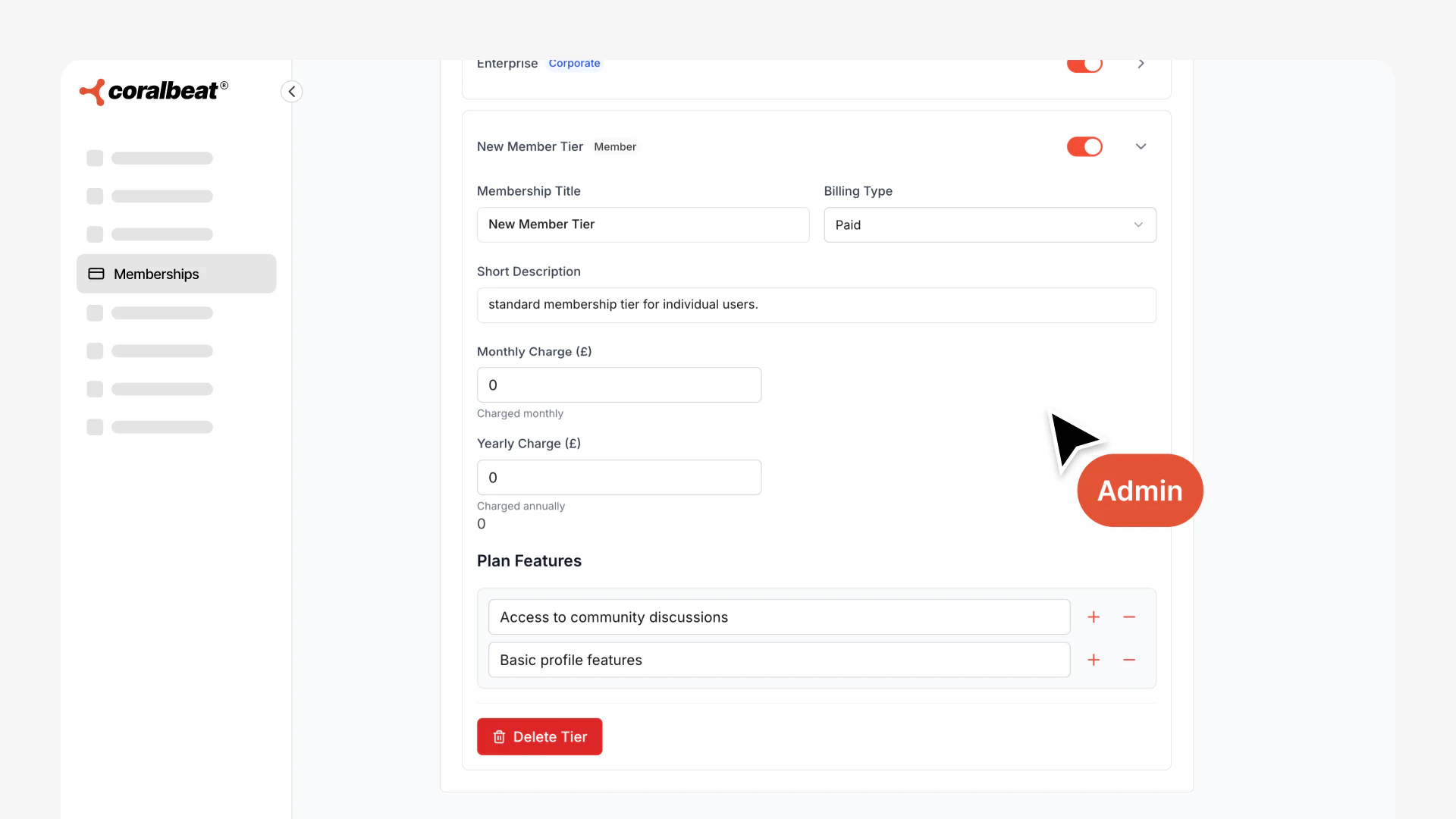
Individual Member Tiers are where most people join. Create as many as you need with their own names, descriptions, and pricing. Offer a free "Community Member" tier alongside paid "Supporter" and "Premium" options. Your customer experience, your structure.
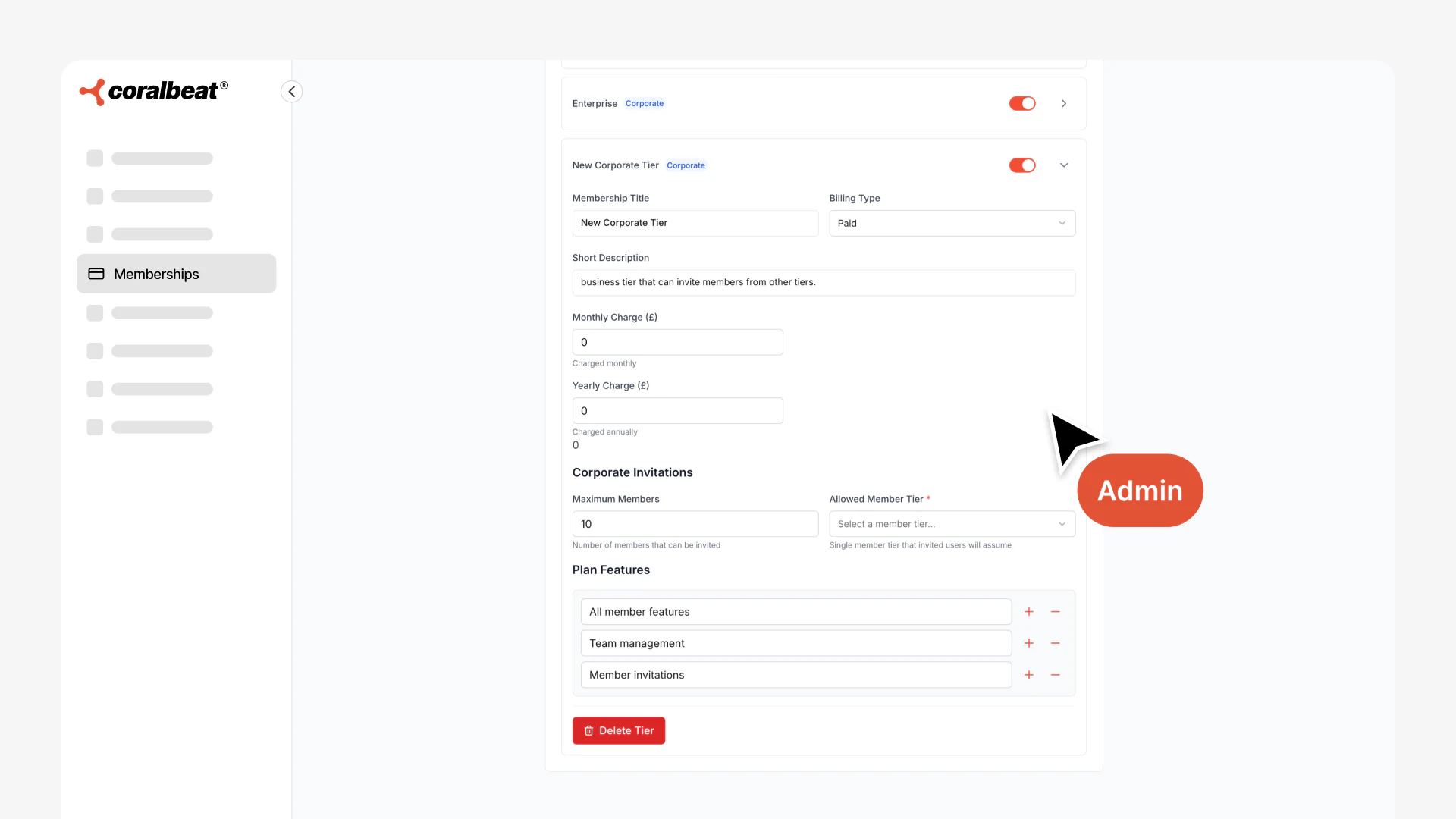
Corporate Tiers let businesses and organizations join as a group. Perfect for sponsors, partners, or teams who want to participate together. You control how many members each corporate account can invite and which individual tier those members receive. A corporate sponsor might get 10 premium memberships to distribute to their team.
Once you've created your tiers, you'll see them in your Admin Dashboard where you can manage visibility and settings. Customers will see the available tiers when they visit your Coralbeat experience:
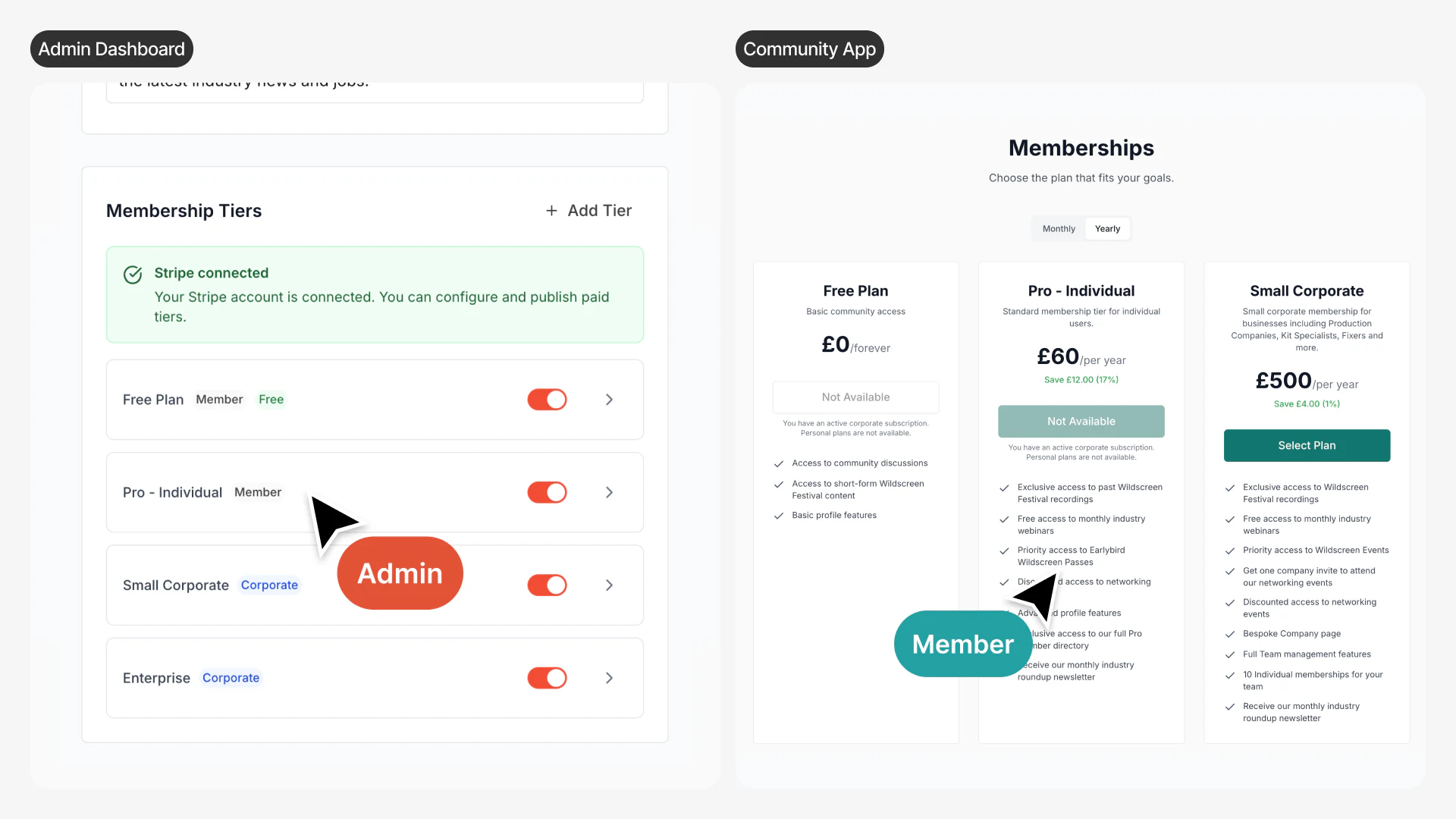
Flexible Pricing That Grows With You
Every tier can be free or paid. Start with free memberships to build trust and demonstrate value, then add paid tiers when you are ready to monetize. Set monthly and yearly pricing for each tier (yearly rates typically offer a discount to encourage annual commitments).
Members can upgrade or downgrade between tiers anytime from their account settings. If you adjust pricing, existing members keep their current rate until renewal, so you never disrupt active subscribers.
Corporate Memberships Built In
Corporate tiers work differently from individual memberships. When an organization subscribes to a corporate tier, they can invite a specific number of people into your customer experience.
You configure three key settings:
- Maximum members: How many people can the organization invite (e.g., 5, 10, 50 members)
- Member tier assignment: Which individual tier do invited members receive (e.g., corporate members get Premium access)
- Pricing: What the organization pays monthly or yearly for their corporate subscription
This makes it simple to offer team packages, sponsor benefits, or organizational memberships without managing each member individually.
Control What Members See
Not every tier needs to be visible all the time. Use visibility toggles to show or hide tiers whenever you want. Launch a limited-time tier for a special campaign, then hide it when the campaign ends. Test new pricing with a hidden tier before making it public. Remove tiers entirely when you no longer need them.
Hidden tiers do not affect existing subscribers. Customers who already joined a tier keep their access even if you hide or delete it later. You can evolve your membership structure without disrupting existing access.
Set Up Your Tiers in Minutes
- Connect Stripe first if you plan to offer paid tiers (go to your Admin Dashboard and complete the onboarding)
- Navigate to Settings → Memberships in your Admin Dashboard
- Add your first Member Tier with a name and description
- Choose free or paid and set pricing if it's a paid tier
- Create additional tiers if your business needs multiple access levels
- Add Corporate Tiers if you want to offer team or organizational memberships
- Configure corporate settings: maximum members and which tier they receive
- Toggle visibility to control which tiers members can see
Your membership structure is ready to go. Customers see the available tiers on your Coralbeat website, choose the level that fits them, and subscribe in seconds. Everything else happens automatically.