Create a personalised welcome after signup
Set up a welcome that reaches new customers or members after they join, with the right next step for their access path.
Support customer journeys from signup to renewal without losing context.
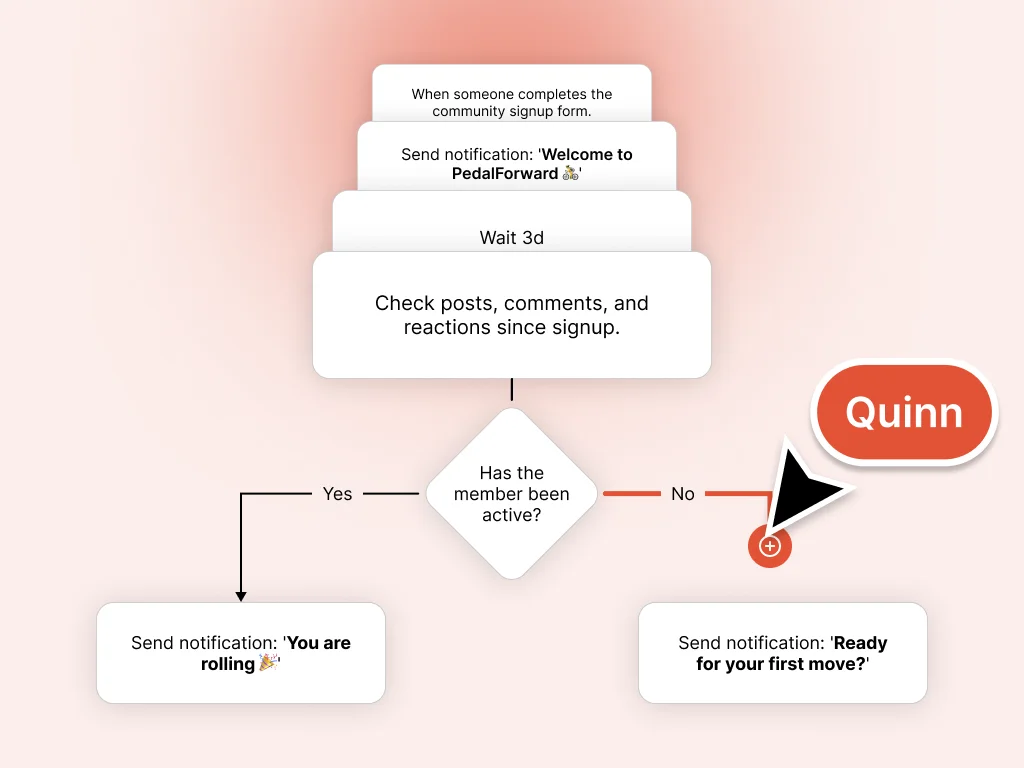
As your customer platform grows, keeping every journey clear becomes harder to manage by hand. Quinn helps you draft and schedule personalised journeys based on who your customers are and what they do, so signup, onboarding, return visits, value reminders, and renewal moments keep their context.
Set up a welcome that reaches new customers or members after they join, with the right next step for their access path.
Quinn helps you identify who has started participating and who has gone quiet, then draft different follow-up paths for each group.
Route customers or members into different journeys based on what they told you when they signed up, so each group gets something that actually fits them.
When a customer or member completes a challenge, earns a badge, or hits a milestone, Quinn can draft the recognition path that follows.
Build a re-engagement journey for customers or members who go quiet. Quinn helps draft and schedule the follow-up path.
Plan sequences that span days or weeks, so each message has a proposed moment without rebuilding the process each time.
When a customer or member posts, comments, or earns a badge, Quinn can help plan the response path. Real participation gets real recognition.
Every journey is drafted first. Review each step and message before saving it.
Ask in plain language, review drafts in Preview, and apply when you are ready.
Tell Quinn what should happen after signup, onboarding, return visits, renewal reminders, or quiet-customer follow-up. A journey draft is created in the same conversation.
See the full journey as a draft: each step, the timing, and who receives each message. Nothing runs until you have reviewed it.
Save the workflow from Preview when you are ready. It only runs after you review and save it for the customers or members it applies to.
Every workflow you save follows the structure you approved, so customer follow-up can stay tied to the context you set.
Describe the journey you want in Collaborate, then switch to Preview to see every step, message, and timing before anything is saved.
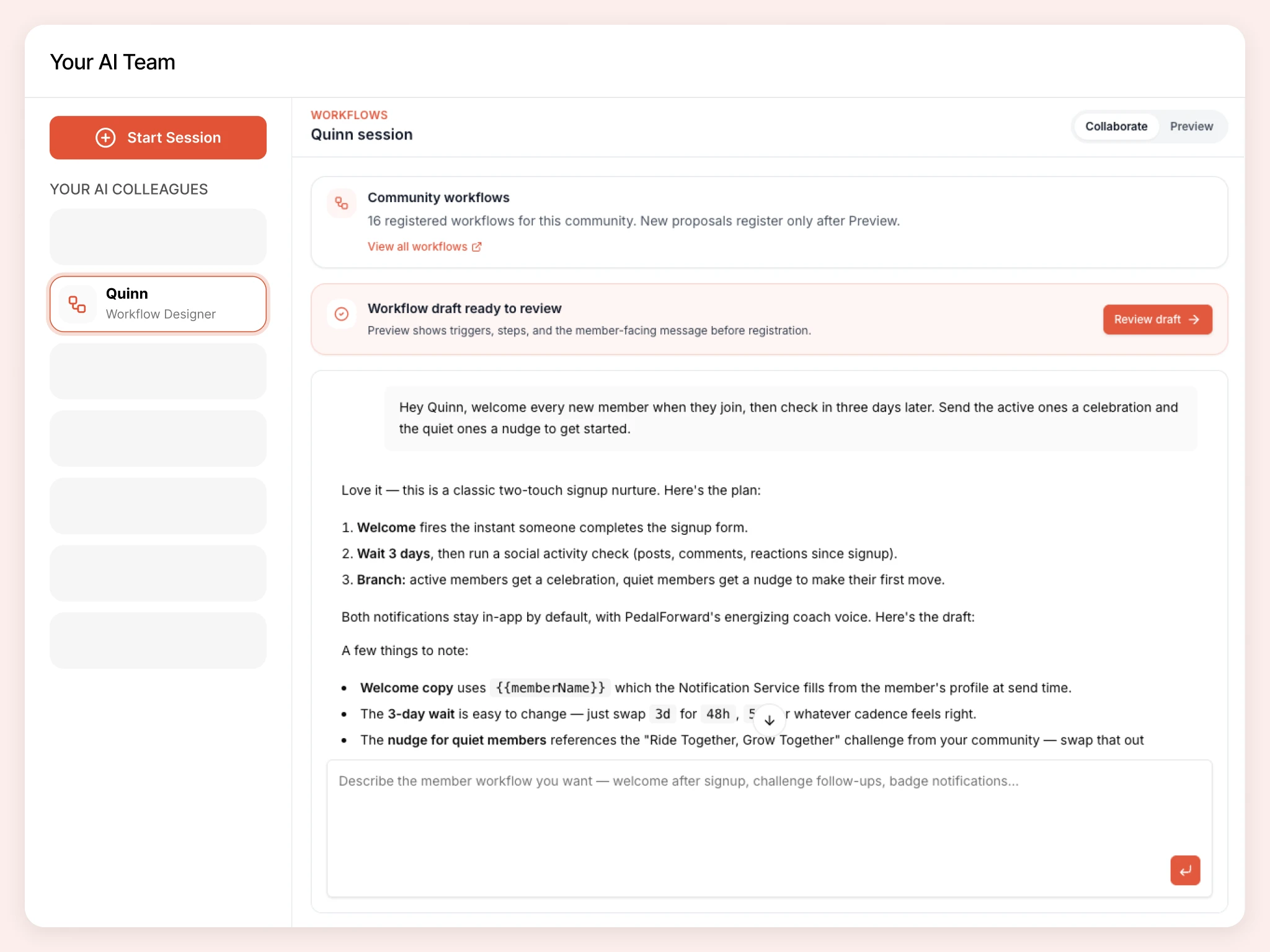
Watch how Quinn drafts customer journeys in plain conversation, in minutes.
Send every new customer or member a welcome message the moment they join, then follow up two days later to see how they are getting on.
Hand off real tasks in everyday language. Quinn turns them into drafts you review in Preview before anything goes live.
Draft a welcome journey for new customers or members after they join.
Plan a follow-up path for customers who complete our onboarding challenge.
Build a five-step journey that guides new customers toward the next useful part of the platform.
Draft a re-engagement journey for customers who have gone quiet before renewal.
Quinn is one member of your AI team. Colleagues share organizational context as you build, so your brand, pages, signup flow, resources, and customer spaces stay connected.
A joining experience that sets the right expectations: intake questions, form copy, and flows you preview before publish.
Challenges, badges, and points customers can work toward. Preview before apply.
Read-only customer activity insights: joins, engagement, spaces, signup forms, and challenges in plain language.
Customer areas that make sense from day one: names, visibility, icons, and featured placement you preview before apply.
Use Coralbeat Business with Quinn to support setup and day-to-day customer platform operations.
Work with Quinn